Back

AI video analytics platform

An AI-powered platform for surgical video analytics — automating phase recognition and CVS assessment in laparoscopic cholecystectomy. As a Product Designer, I dove deep into the clinical domain: competitor analysis, studying surgical research, mapping the surgery workflow, and understanding the ML training pipeline. My role was to design the entire platform interface from scratch — from concept to MVP launch at a surgical conference. Key responsibilities included defining user flows, designing high-fidelity screens ready for developer handoff, and close collaboration with developers and stakeholders.

Work type New product (0→1)
Role Product Designer (Solo)
Team Product Manager, Frontend and Backend developers, QA, Business analytic, ML engineer, DevOps
Contribution Product discovery, User experience, User flows, Information architecture, Web app design, Design review
AI video analytics platform hero

Project overview

Laparoscopic cholecystectomy is one of the most frequently performed surgeries worldwide. The Critical View of Safety (CVS) criteria serve as the gold standard for safe gallbladder removal, and achieving CVS helps reduce both intraoperative and postoperative complications. The AI-platform automatically analyzes surgical video recordings, recognizes surgery phases, and assesses CVS achievement — turning raw footage into actionable clinical insights.

The goal was to build an MVP from concept to a working product in time for presentation at a surgical conference.

Problems

Surgeons

Difficult to navigate lengthy recordings, find teaching examples, or verify whether a surgery was performed safely

Hospital managers

No tools for tracking department performance or surgical quality

Business

Raw footage with no clinical value — an untapped product opportunity

Challenges

Tight deadline

7-month deadline with no room to shift — the conference date was fixed

Extended team

Intensive cross-functional collaboration — frequent feature discussions and alignment sessions to keep everyone moving in the same direction

Domain complexity

The development team was unfamiliar with the CVS assessment domain. It took considerable effort to get everyone on the same page before meaningful progress could begin

Work process

Concept

Coming into the project with no prior expertise in the surgical domain, I first dove deep into the field — competitor analysis, studying surgical research, mapping the surgery workflow, and understanding the ML training pipeline, including manual phase labeling. Explored surgeons' pain points and needs to define what insights would be most valuable for both surgeons and hospital management. Multiple design iterations — testing different layouts, information hierarchies, and interaction patterns. Since direct usability testing with surgeons wasn't available, design decisions were grounded in surgical research and competitor interface analysis.

MVP

The company aimed to present a working MVP at a major surgical conference, giving the team a firm 7-month deadline to build the product from scratch. Selected MVP features with stakeholders, aligned the concept with the design system, created high-fidelity screens for developer handoff, iterated through rounds of feedback with developers and stakeholders, and conducted design review.

Features

Case page

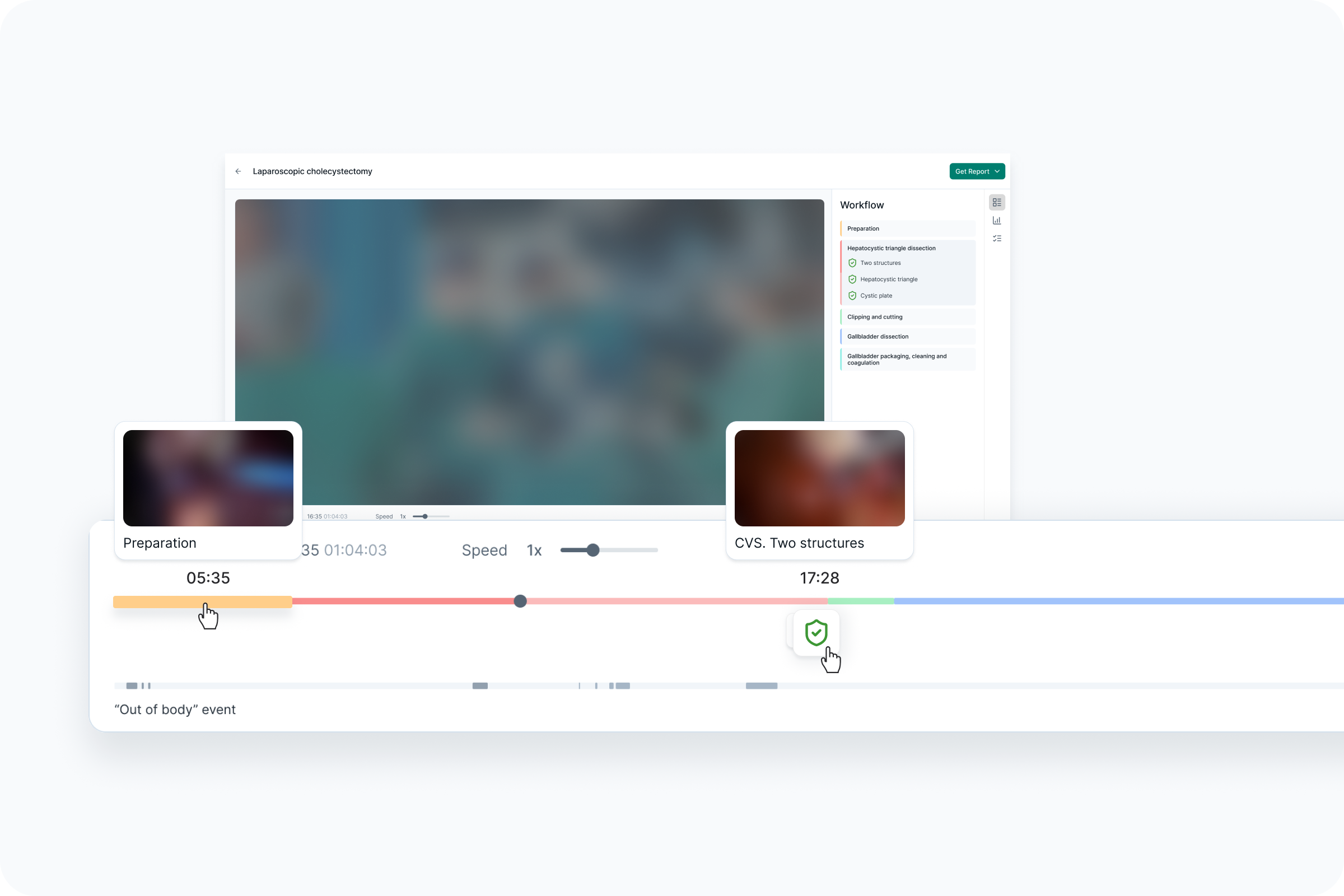
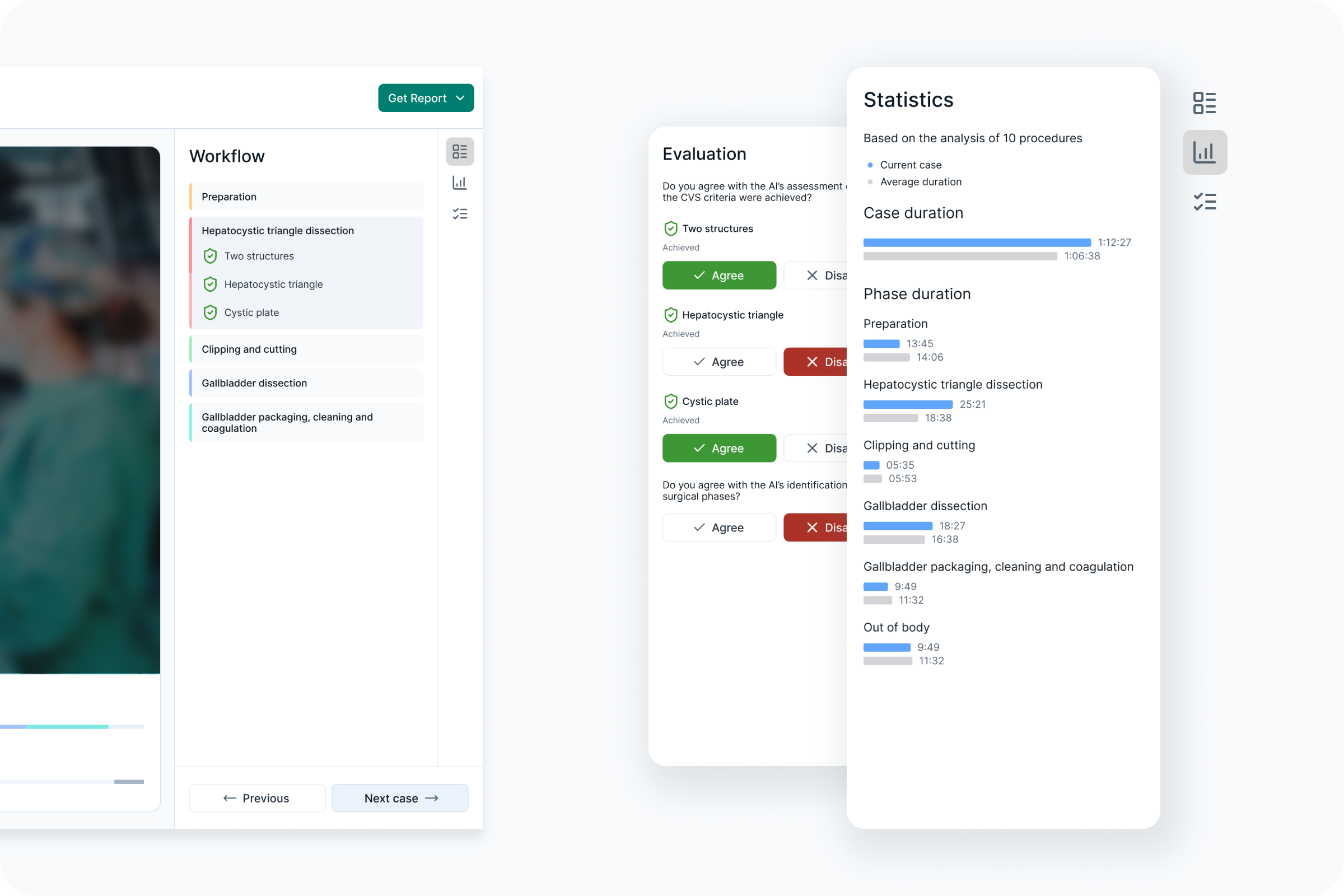
The case page lets surgeons jump directly to any surgical phase, see where out-of-body events occurred, and verify CVS achievement at a glance. A built-in evaluation flow allows surgeons to agree or disagree with AI assessments, and a statistics panel compares the current case against average benchmarks.

Case page

Cases list

A searchable, sortable table shows all uploaded procedures with key metadata — procedure type, duration, CVS status, surgeon, and processing state — so users can locate any case in seconds.

Cases list

Analytics

The analytics dashboard aggregates CVS achievement rates, case volumes, and phase duration distributions across all analyzed cases — giving management actionable data for quality improvement and resource planning.

Analytics overview
Analytics details
Analytics charts
Analytics comparison
Report

Admin panel

The admin panel provides user management and an extended case view with status filters — enabling admins to monitor processing, handle errors, and manage exclusions.

Admin panel — Users list
Admin panel — User profile editing
Admin panel — Cases processing
Admin panel — Cases pending
Next project

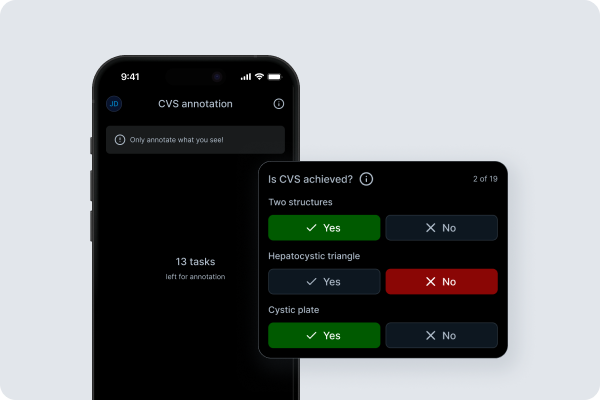
CVS annotation app